SuperTake
SuperTake listens to every take and builds a natural, producer-minded comp for you. Tune, clean, de-click and enhance in the same window. You hear the result and shape it to your taste.
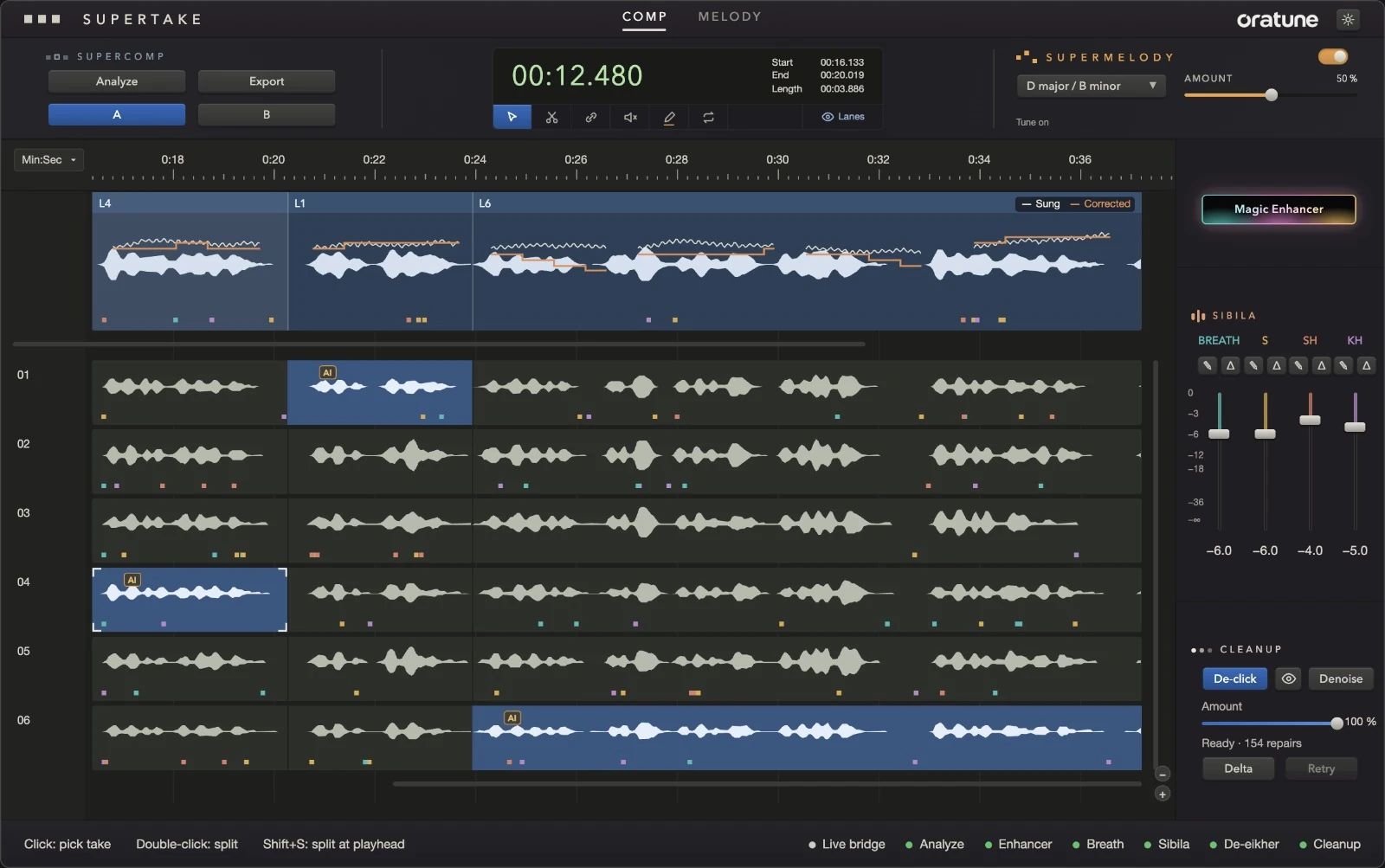
From raw takes to a polished vocal.
From raw takes to a finished vocal. Swap & drag to make it yours.
SuperTake listens to every take, phrase by phrase, and intuitively brings the best moments together into one natural, standout performance. You listen, refine, and tweak to your taste.
SuperTake builds the comp. You make it yours.
SuperTake reads Live's take lanes directly. There is no need to consolidate the takes first.
Record your takes
Sing as many passes as you like into Live's take lanes.
Connect once
In Live, open Settings › Link, Tempo & MIDI and choose Oratune as a Control Surface. You do this one time.
Open SuperTake
Put it on the vocal track. Your takes appear as lanes.
Press Analyze
SuperTake listens across the takes, chooses phrase by phrase and builds the comp for you.
Listen and make it yours
A/B against the original. Change a selection or join if you prefer a different choice. Undo and redo whenever you like.
Tune, clean, de-click, enhance
Use as much or as little as the vocal needs.
Export
Send the result back to your Live session and keep working.
Five tools in one. Less than buying five.
- Comp, tune, clean, enhance and export in one plugin
- Runs on your Mac. Vocals are never uploaded
- Ableton Live 12 · Apple silicon · VST3
Public trials are not available yet. Joining the list does not start a trial.
What you need in this release
- DAW
- Ableton Live 12
- Computer
- Mac with Apple silicon
- Format
- VST3
- Processing
- Runs locally. Your audio is not uploaded.
- Live language
- English, for automatic clip rendering
- Coming
- Logic Pro (in development) and Windows (early testing)